
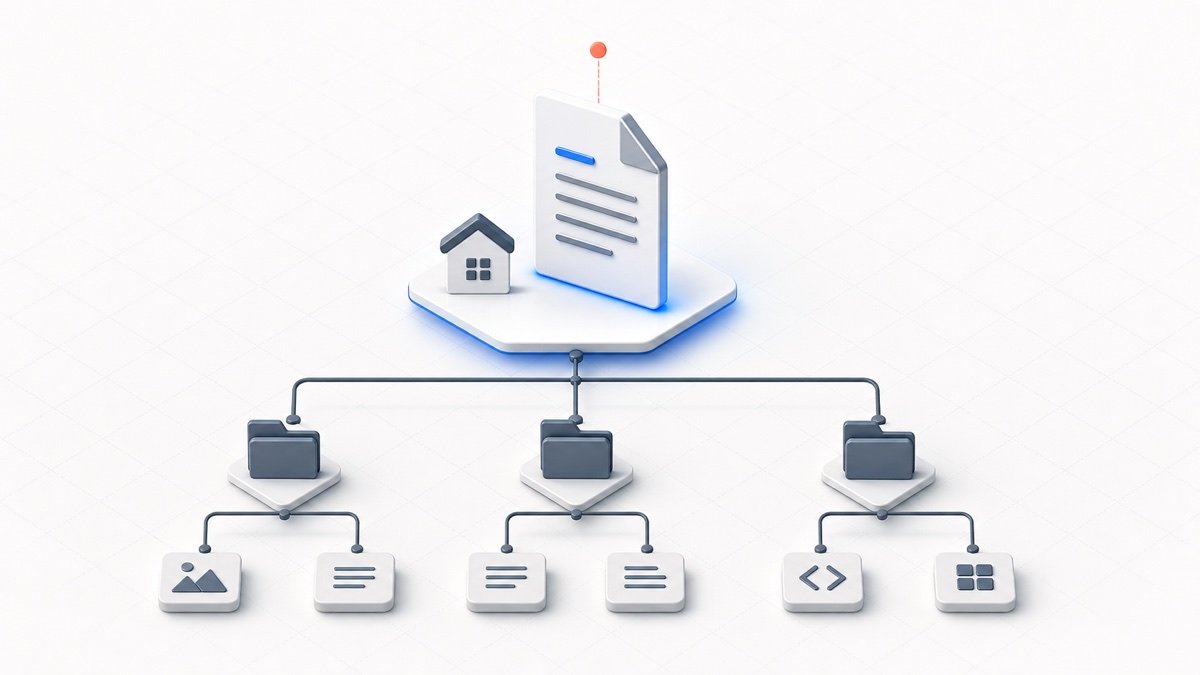
Immediate Answer: Root vs. Path-Scoped Placement
For most websites, place your primary file at the public site root: https://example.com/llms.txt. This is the primary convention recognized by AI crawlers, developer tooling, and context-fetching agents seeking site-wide summaries.
Under the current llms.txt v2 proposal (llmstxt.org), websites can also expose path-scoped files such as /docs/llms.txt or /api/llms.txt. A scoped file provides dedicated context for URLs within that specific directory path without forcing entire multi-product websites into a single large document.
When an AI system requests context for a specific page, the v2 proposal defines a most-specific applicable file rule: a client inspecting a URL such as https://example.com/docs/auth/login checks for a covering file at /docs/llms.txt before falling back to the site-wide root file at /llms.txt.
How Scoped Files Work Under the v2 Proposal
Scoped placement lets you organize information modularly. Instead of loading your entire marketing site and documentation into one context window, agents can load scoped files matching their immediate task:
- Root File (
/llms.txt): Covers the entire website. Best for general overviews, company descriptions, and links to major section indexes. - Path-Scoped File (
/docs/llms.txt): Covers only URLs within the/docs/hierarchy. Best for technical guides, installation instructions, and conceptual documentation. - Path-Scoped File (
/api/llms.txt): Covers only URLs within the/api/hierarchy. Best for endpoint parameters, authentication specifications, and SDK references.
A website can expose multiple scoped files simultaneously. Each scoped file acts as the primary context authority for its subdirectory prefix.
Decision Matrix: Where Should Your llms.txt Live?
| Situation / Scope | Suggested Placement | Scope Covered | Primary Discovery Method |
|---|---|---|---|
| Whole website | https://example.com/llms.txt | Entire domain | Standard root check |
| Documentation section | https://example.com/docs/llms.txt | /docs/* URLs |
Path prefix or rel="describedby" |
| API reference section | https://example.com/api/llms.txt | /api/* URLs |
Path prefix or rel="describedby" |
| Subdomain documentation (site-wide) | https://docs.example.com/llms.txt | Subdomain origin (can also host scoped files) | Subdomain root check or rel="describedby" |
| Page declares covering resource | Follow rel="describedby" target |
Declared scope | HTML link tag or HTTP Link: header |
Machine Discovery: rel="describedby" and HTTP Headers
In addition to well-known path checks, the v2 proposal defines explicit discovery mechanisms so HTML pages and APIs can declare exactly which llms.txt resource describes them:
- 1. HTML Link Tag: Add a
rel="describedby"tag to the<head>of your web page:<link rel="describedby" href="https://example.com/llms.txt"> - 2. HTTP Link Header: Servers can also declare discovery via the standard HTTP response header, which is especially helpful for non-HTML assets or API endpoints:
Link: <https://example.com/llms.txt>; rel="describedby"
Markdown Alternative Discovery: If a specific HTML page also offers an equivalent full Markdown document, you can expose it using <link rel="alternate" type="text/markdown" href="/docs/guide.md">. Note that this tag is intended specifically for pages that provide real Markdown counterparts; it is not a general substitute for your site-wide /llms.txt index.
Practical Scenarios: Choosing the Right Structure
- Standalone SaaS Marketing Site: Use a single root
https://example.com/llms.txtsummarizing product features, pricing, and key landing pages. - Software Documentation Hub: Place
/docs/llms.txtto guide agents through tutorials, setup guides, and architecture references. - REST or GraphQL API Reference: Place
/api/llms.txtcontaining endpoint indexes, authentication specifications, rate limits, and schema references. - Mixed Multi-Product Platform: Use a site-wide
/llms.txtfor high-level company context, and individual scoped files such as/cloud/llms.txtand/desktop/llms.txtfor specific products.
Common Root Folders by Hosting Platform
The physical folder on your server where you upload the file depends on your hosting environment. Place the file in the project's publicly served root so that it resolves at the intended URL:
- Hostinger, cPanel, or Apache/Nginx Web Hosting: Most standard shared-hosting setups serve from
public_html/for site-wide/llms.txt, orpublic_html/docs/for/docs/llms.txt(check your virtual host or document root configuration). - WordPress: Upload to the WordPress root folder (the folder containing
wp-config.php), or automate dynamic generation using our free CrawlBrief WordPress plugin. - Vercel: Place
llms.txtin your framework's static or public asset directory so the deployed file resolves at/llms.txt. In many modern frameworks (such as Next.js or Astro) this ispublic/, but verify the convention used by your specific framework build setup. - Netlify: Ensure
llms.txtis copied into the site's final configured publish directory so it resolves at/llms.txtupon deployment. Depending on your framework, the source asset may come frompublic/,static/, or another directory copied into the build output. - Laravel: Place in the
public/directory (the framework's public web root, not the project base directory). - Dedicated Subdomains (e.g. docs.example.com): Subdomains are separate web origins. For site-wide coverage of a documentation subdomain, place the file at the subdomain root (
https://docs.example.com/llms.txt). More specific path-scoped files (such ashttps://docs.example.com/api/llms.txt) can also be used within that subdomain where appropriate.
Common Placement and Publishing Mistakes
- Assuming only root placement exists: Overlooking path-scoped files (
/docs/llms.txt) when documenting standalone documentation areas. - Placing llms.txt behind authentication: Blocking access with HTTP basic auth, private logins, or Cloudflare access barriers where public AI crawlers receive HTTP 401 or 403.
- Serving HTML instead of plain text: Allowing single-page applications or custom error handlers to return an HTML 404 page with a 200 OK status code instead of raw Markdown/text.
- Broken discovered URLs: Setting a
rel="describedby"tag in your HTML head that points to a non-existent or redirecting URL. - Confusing robots.txt with llms.txt:
robots.txtcontrols crawling access and disallowed directories.llms.txtprovides a curated content summary and does not enforce crawler restrictions.
Publishing Workflow: From Creation to Verification
Follow this four-step publishing workflow to ensure your file is discovered and interpreted correctly:
- 1. Generate: Build a clean, structured file using our free llms.txt Generator, or review templates in llms.txt Examples.
- 2. Validate Structure: Run the text through the llms.txt Validator to ensure proper H1 project titles, blockquote summaries, and section syntax.
- 3. Deploy: Upload the file to your public root folder or scoped subdirectory.
- 4. Verify Live Deployment: Enter your live URL in the validator to verify endpoint availability, HTTP 200 status, text or markdown content-type, and cache headers.
For deeper background on file structure and Markdown syntax, consult our comprehensive guides on What is llms.txt? and How to Create an llms.txt File.